Great, now we're ready to get into it!
As a reminder, here's an overview of Amazon Attribution tool:
- Create Tracking Links ← we're here
- User clicks on tracking links
- See tracking data
3 Options to Create Amazon Attribution Links
There are actually 3 ways you can create attribution links to use.
- Attribution Console (the website)
- Bulk Upload (inside attribution console)
- API
However, the attribution console is the most commonly used.
Option #1: Attribution Console
Amazon makes it seemingly (heavy foreshadowing) easy to follow a few onscreen steps and create a link.
I'll walk you through those steps, but I want to pause and say this: There is more that goes into this than Amazon let's on if you want accurate data. I'll discuss these hidden pitfalls in just a minute.
Here's the step-by-step:
1. Find the Create Campaign button
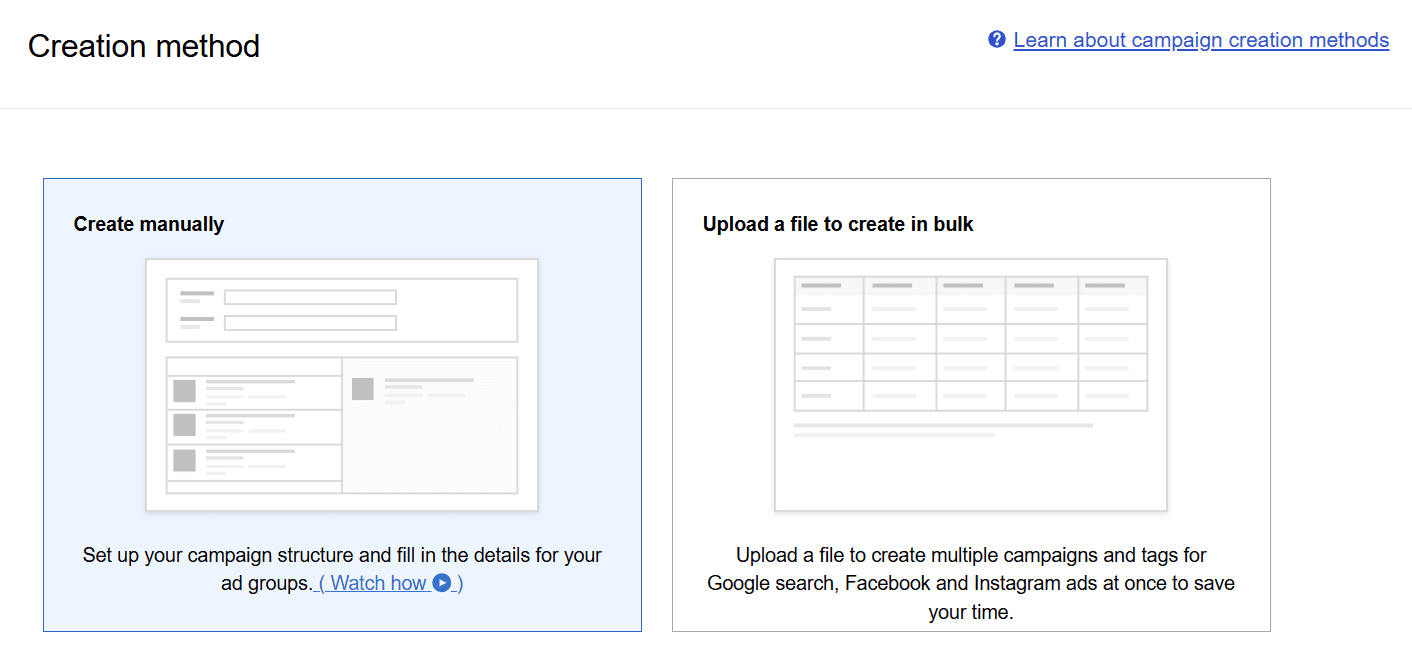
2. Choose Create Manually and Add a campaign name
I have one campaign for every marketing source: Facebook, TikTok, Newsletter, Website, etc.
Although you could choose to create one for each campaign inside each of these ad platforms.
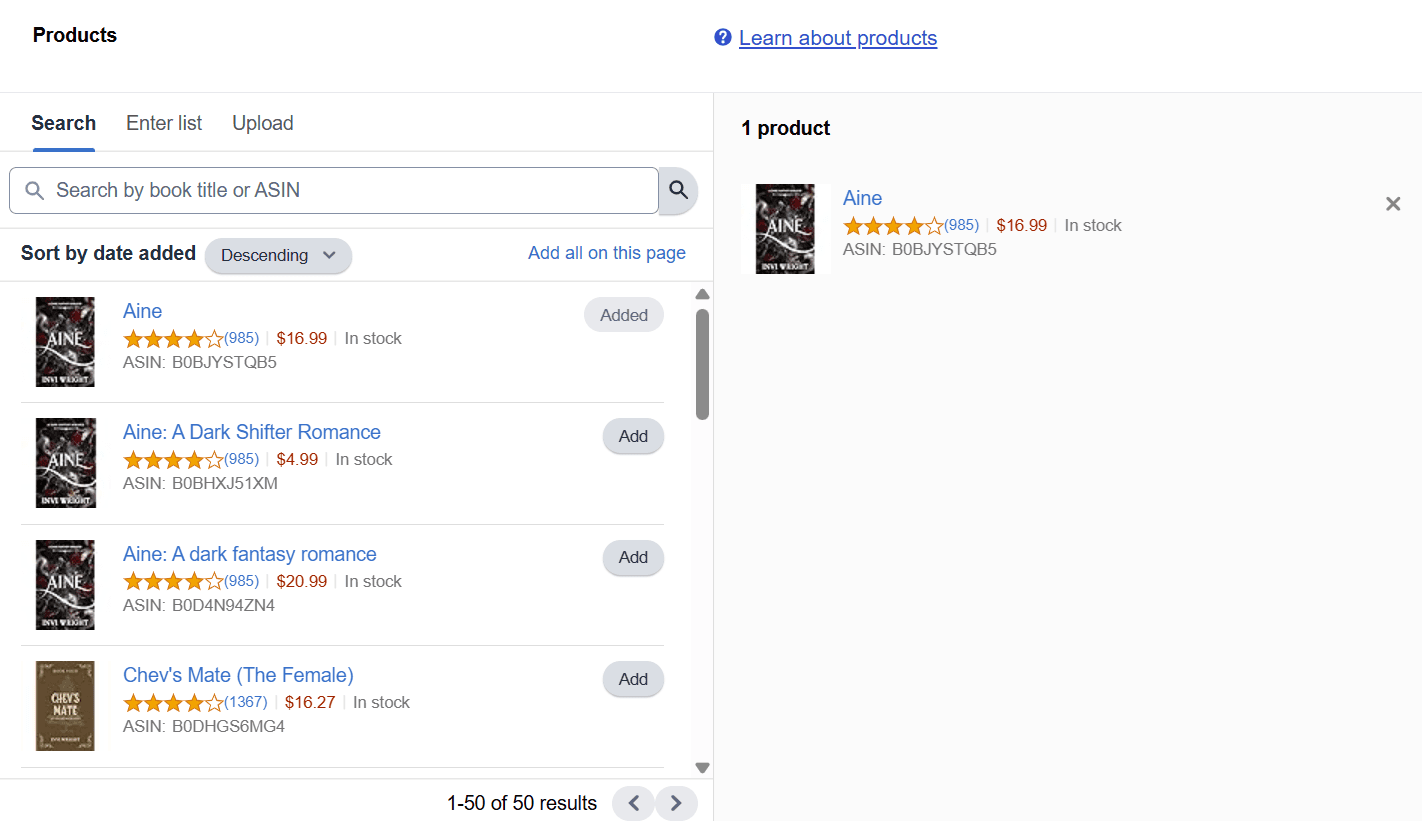
3. Select your products
You need to choose which products you want tracking data for
I HIGHLY recommend adding all of your books/products.
This is actually one of the best parts of amazon attribution. If one user buys multiple products, you can see all of the impact.
For example, if they enjoy the book you advertised for, they may read book 2 in the series or another book by you. You should attribute all of these back to that ad! You will need to select each format for a book if you have several (ebook, paperback, audiobook, etc.).
4. Create Ad groups
This section will look the same here and when you come back in the future to add more links. To add more links later, navigate to an existing campaign, from the ad groups tab you will see a "New Ad Group" button.

Very confusingly, this is not a group of ads but should be treated as the link for a single ad. Amazon uses the words "ad group", "attribution tag", and "attribution link" all referring to the same thing, a named attribution link you create.
DO NOT REUSE ATTRIBUTION LINKS. You will muddy up your data, and it will become useless. Create a new ad group for each ad. Attribution links are free and easy to manage. Create many of them.
Examples:
- Moving an ad from a test campaign to a winning campaign? New link.
- Updated the wording in your ad but not the image? New link.
ALWAYS A NEW LINK.
Here's what to fill out:
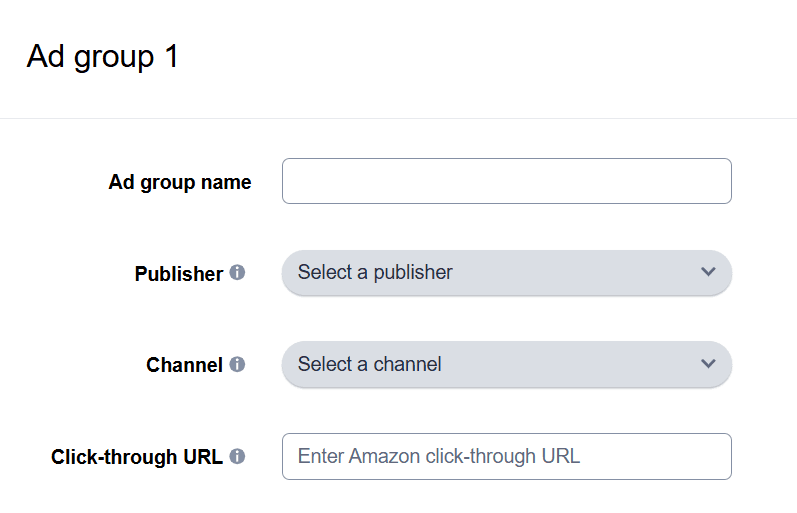
First, name your ad group.
I almost guarantee you'll hate your first naming system. It's a rite of passage. Here's the format I'm currently using:
Sometimes I add a prefix indicating the campaign:
(if I've added a test ad to a dedicated scale campaign)
Pick something that is simple, descriptive, and easily recreated for all of your ads (you want them all in standard format).
Now add your publisher and channel. Pick the ones that best describe your marketing source. They do not impact anything other than they let you see performance by these groups later. I have not found them useful.
Now you will add your clickthrough link. The clickthrough link is the actual page on Amazon you want a person to end up on when they click your attribution link. Amazon is justs going to update this URL to add some special tags to enable tracking.
This seems straightforward, and the Amazon instructions are really simple just enter the URL. THIS IS THE MOST CRITICAL PART. There are easy ways to ruin your link that Amazon does NOT tell you about.
I have a whole article on this where I provide details on 5 critical tips to avoid making a mistake:
I'll summarize them here:
5 Critical Clickthrough Link Tips
but you must use THE RIGHT URL format, there is a wrong one
but it will probably hurt your conversion rate
ebook vs audible vs paperback etc
Again, read the other article for details when you get to this step.
Once you've filled this out for one or many ads, you can save the campaign or ad groups, and Amazon will provide the attribution link.
Make sure you use the attribution_link and not the click_through link, the table will show them both. The next lesson is how to use the links provided here!
You can always access these later.
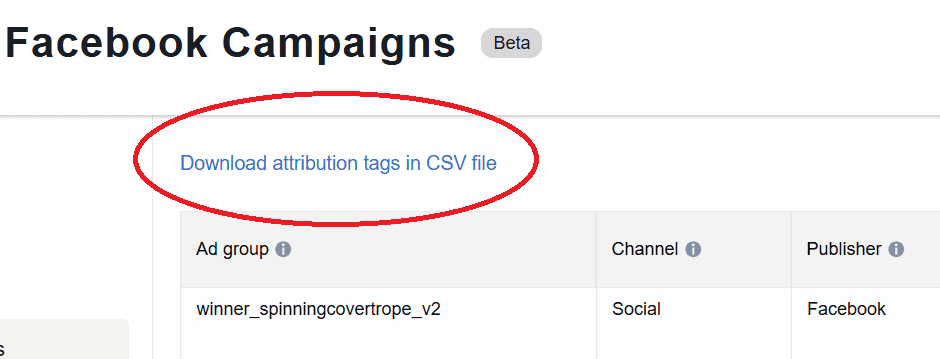
If you're using AdSync, you will want to download your attribution tags to CSV so you can upload them on our site.
Option #2: API
An API is a tool developers can use to make two apps or websites talk to each other. Amazon allows tag creation via API. We won't discuss this further and you don't need to know much about it.
Option #3: Bulk Upload
Amazon does offer the option for you to upload a CSV in a specific format, tailored to a specific ad platform, if you need to bulk upload many ads across campaigns and ad sets. You access this feature by creating a new campaign. This is overkill and not practical for most users and we won't cover it further.