Meta Ads Account Setup: A Complete Guide for Authors
Before you can launch your first campaign, you need to establish the foundation. This guide covers the essential technical setup required to run ads on Facebook and Instagram.
First things first, you have to set up your Facebook ad account. There are a few basic steps:
Set up Meta Accounts
You run ads as a Facebook or Instagram account. I recommend having both for running ads, but you can certainly choose one or the other.
You will, of course, need to create a separate Facebook page and Instagram account for your author persona.
If you're creating this page now, or if you already have a page but aren't utilizing it, do take the time to customize the page to match your brand. Add at least a welcome post, profile photo, banner image and all of the descriptions the page set up asks for. This will be the visible identity you run ads under. Readers will visit this page. They may choose to follow you and you can build an audience this way if you're committed to it. You can even run ads that optimize for getting Facebook and Instagram followers.
Some authors use their personal account as their author account. That's feasible, but I highly wouldn't recommend it. Why? I think it's smart to not hang 100% of your (online) social identity on your work. Keep your posts and friends separate. You want to be able to access those without it being work. And you want your friends and family to have the option to get to know you and your work separately.
Also, you mess up the all-powerful "algorithms". If personal and business are intermingled, you might have "author" content overwhelming posts from friends and family or those funny reels you love, degrading your social media experience.
Lastly, Facebook doesn't recommend it. They may want settings to indicate you're a business, which then changes how your personal profile works.
Once you have the pages and accounts set up, which you can do on normal Facebook social media, you'll need to start using more business orientated Facebook websites including the "Ads Manager" and "Facebook Business Suite".
There are two ways of authenticating when you start using these websites:
- Logging into the business or ad manager as your author account directly (if you have a separate Instagram account for example)
- Logging in using your personal account but having given your personal account permission to control your author account/page.
If you're starting from scratch today I recommend method 2.
It's beneficial because:
- If you have one login (your personal one) that controls your other pages, you don't have to continuously log in and out of different meta websites
- You don't lose any functionality or features by doing that
- You can enable others to manage your business page in the future but not mess up any of your settings
Create Business Profile
Once you create a Facebook business page, you will automatically have access to Facebook Business Manager.
Some authors may need to fill out additional account information as required by Facebook here.
If you are an official business (like a LLC), you can add documents that prove your incorporation and verify your business. Some of this is necessary if you wish to scale your account and use all of the features. But some of it is not required if you're just starting out.
You can navigate to Facebook Ads Manager from the business manager, or go to ads manager directly: Facebook Ads Manager
Add Payment Method in Ad Manager
Once you have all of the correct accounts set up, you just need to add how you'll pay for the ads.
Facebook may force you to pre-load some money if you're a new account. In other words, you have to pre-pay for the ads. You add credit and as the ads are spent they are deducted from your credit.
Either initially, or after some consistency in using ads manager, you can add a credit card. The card will be charged after you spend so much on ads. Again, Facebook will initially require a lower number. Potentially as low as $5. But after just a few times of hitting and then successfully paying the threshold, your credit limit will be increased.
You can also set your own maximum limit on how much you owe Facebook. If you don't want to be on the hook for a surprise $100 bill from Facebook, you might set your billing limit to $50. You can also set account level maximum spend limits. This isn't the worst idea if you're getting started, just in case you mess up when creating an ad budget and it tries to spend a lot of money, having the account maximum spend might save you.
Once you have:
- a Facebook business page (ideally connected with an Instagram account, although you can connect these later)
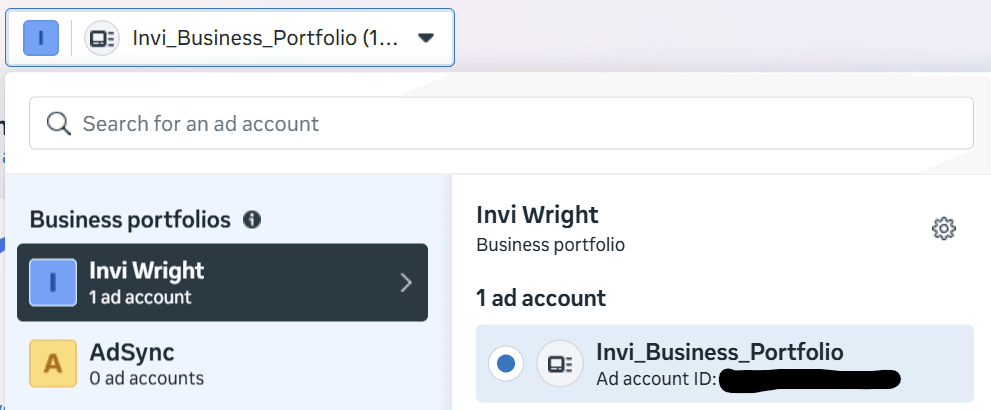
- a business portfolio for your page with an ad account in it
- a connected payment method
then you're finally ready to get started launching ads.